Photoshop Services | Cheap Photo Editing

Blog

Your blog category

Photo Editing Techniques
Blog

The Art of Photo Editing: How to Perfect Your Photo

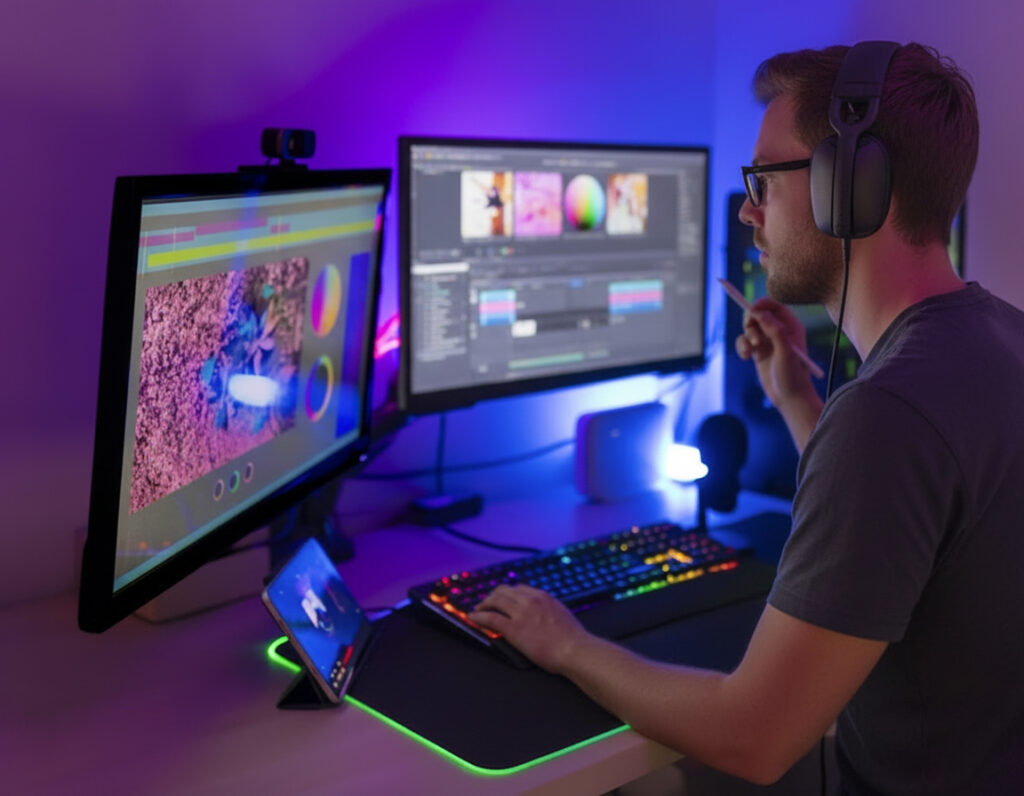
Photo editing is one of the main ways to make an ordinary photo look professional and eye-catching . The work does not end with taking a photo; rather, the real process of perfecting the photo begins from there. Using the right Photo Editing Techniques , an ordinary photo can easily become attractive, realistic, and powerful visual content that tells a story. Photo editing is basically an art where the beauty of the image is enhanced by adjusting light, color, contrast, sharpness and detail. Nowadays, good results cannot be imagined without Professional Photo Editing Service in social media, e-commerce, advertising, fashion and photography industries . A perfectly edited image not only attracts the attention of the viewer, but also increases the credibility of the brand. By learning The Art of Photo Editing, you will gain important skills such as adjusting photo exposure, color correction, background removal, skin retouching, and object removal. Using modern software such as Adobe Photoshop and Lightroom , it is easy to give your photos a more vibrant and professional look. In this guide, we will discuss how to perfect your photos by following the right photo editing workflow. If you are a photographer, content creator, or online business owner, this article will help you with Photo Editing Tips , Best Photo Editing Practices , and achieve better visual quality. It will clearly highlight how important photo editing is to create perfect photos. What is photo editing and why is it important in modern photography? Photo Editing is an essential part of the world of photography , transforming an ordinary photo into a professional and visually appealing one. Photo Editing refers to digitally adjusting the light, color, contrast, sharpness, and other visual elements of a photo to make it more realistic and attractive. In today’s visual world of social media, e-commerce, advertising, and branding, it is almost impossible to survive without Professional Photo Editing . Many people think that a good camera or taking a picture at the right moment will give perfect results, but in reality, photo editing is what reveals the true power of a picture. RAW images captured on a camera often look flat and lifeless. Then, using a Photo Editing Service , the picture is given a professional look by adjusting the exposure, doing color correction, cleaning the background, or removing unnecessary objects. Photo editing is not just for enhancing beauty, but also an effective means of telling a story. Proper editing helps to clearly convey the emotion, mood and message of a photo. That is why these days Best Photo Editing Techniques are being widely used in fashion photography, wedding photography, product photography and social media content. Photographers and designers are using modern tools like Adobe Photoshop and Lightroom to enhance the quality of their images and capture the attention of the audience. Therefore, in modern photography, photo editing is not just an option, but a key to creating successful visual content. Essential photo editing techniques every photographer should know For a successful photographer, it is not enough to just have a good camera or take perfect shots; rather, it is very important to know the techniques of photo editing to make that photo more attractive and professional . A photo is not finished after its capture, because the real beauty, emotion and story of the photo are revealed only by using the right Photo Editing Techniques . Therefore, every photographer should have a clear idea about the basic to advanced techniques of photo editing. Photo editing allows you to adjust exposure, adjust white balance, increase contrast and sharpness, reduce noise, and remove unwanted objects. These essential photo editing skills can elevate even an ordinary photo to a professional level. It is difficult to hold the attention of the audience without perfect editing, especially in social media, wedding photography, fashion, and e-commerce photography. Image editing has become easier and more efficient with the use of modern software such as Adobe Photoshop and Adobe Lightroom . With the help of these tools, a photographer can perform batch editing, color grading, and local retouching in a very short time. As a result, the work speed increases and the quality of the image also improves. For those who are doing photography professionally or want to provide professional photo editing services in the future , learning these essential techniques is very important. In this guide, we will discuss all the photo editing tips and techniques that will help every photographer make their photos more perfect, realistic and audience-friendly. Step-by-step workflow for professional photo editing To create professional-quality photos, just taking photos is not enough; rather, following a well-organized Professional Photo Editing Workflow is the key to success. Knowing the correct step-by-step process of photo editing increases the speed of work, improves the quality of the photo, and makes it possible to maintain the same quality in every project. That is why experienced photographers and editors always follow a specific workflow. A perfect photo editing workflow starts with selecting and organizing your images. Selecting the best images and cataloging them properly makes the subsequent editing much easier. Next comes the RAW file processing step, where basic adjustments like exposure, white balance, contrast, and color correction are made. This step creates the foundation of the image, on which all subsequent edits depend. Then, local adjustments are used to increase the light in specific areas, retouch the skin, or remove unnecessary objects. Here, perfect retouching is possible using tools like Adobe Photoshop and Lightroom . The sharpness and noise reduction steps help keep the image details clear, especially in low-light photography. Finally comes the steps of cropping, adjusting the composition and color grading or stylization. This step adds a personal style to the image, which makes it more attractive. Following a step-by-step professional workflow not only increases the quality of the Professional Photo Editing Service , but also ensures client satisfaction. Best photo editing software for beginners and professionals With the rise of digital photography and content creation, choosing the Best Photo Editing Software has become an important decision today. If a photographer or designer wants to improve the quality of his work, he should use a tool that is powerful, user-friendly and can easily perform various editing tasks. There are various software available in the market for all

Best video editing service
Blog

10 Basic Things Every New Video Editor Needs To Know

Video editing has become one of the most valuable skills to learn and earn from. Every person marking his online presence uses videos these days. Business owners, youtubers, influencers, and marketers are on the hunt for professional video editors. Every skilled video editor was once a beginner. To become a pro, one must master the basic things that every new video editor needs to know. Since video content is on every social media platform. Learning how to edit, open many doors of opportunities. So, here you can discover some beginner friendly video editing tips, tools, and techniques to master. 1. Choosing the Right Tool It is always fun learning new software. As a beginner video editor start with some very basic and simple tools. Gain hands on experience while creating scroll stopping videos. There are many free software that offer professional features as well. These tools require patience and a whole lot of practice to get handy. After learning them thoroughly move to some more complex and technical ones. 2. Concentrating on Editing Workflow Every video editor needs a workflow to follow along. When in beginner stage you need to get your checklist updated. You can start with planning the video which may include creating story and getting to know the target audience. Here is the order that can be followed as a new video editor. You can easily manage your workflow by importing clips, trim and cut, arranging clips, adding transitions, adjusting colors, editing audio, adding music, inserting text to video, then finally exporting video in the desired format. 3. Mistakes to Avoid For any new video editor avoiding mistakes is equally important as mastering the beginner friendly tools, techniques, and tips. To the newbies, video editing seems technical to many. However, it is all about creating and selling stories through videos. It is more about your creativity than technical competence. Although mistakes are common for beginners, however knowing what to avoid is important. Starting simple is key to your very first professional video editing project. Common mistakes to avoid are more likely about, using too many transitions or flashy colors, having poor audio quality, using wrong video size, or aspect ratio, quitting without saving the project, exporting video in bad quality. Avoiding such mistakes can save you a lot of time. 4. Some Tips to Edit Videos Faster Some quick tips can help you save a lot of time while editing. With small improvements you can edit at a faster pace, hence increasing the productivity of a video editor. Save your time by using keyboard shortcuts, assembling all the raw data files in an organized manner, previewing the previously edited sections more often all while keeping your workstation aesthetic and pleasant to be at. 5. Editing and Storytelling The most important factor in video editing postproduction is story telling, creating emotions, and selling through meaning. Your edits must follow the rhythm of your message. Know that the viewer does not know what to do. You are the one compelling him to make a decision. 6. Keep Improving as a Beginner Editor Like any other skill professional video editing also requires a lot of practice. Consistency is the key irrespective of the nature of the project. Keep evolving your editing. Be always open to trying new ideas, styles, software, tools, and techniques. All you have to do is practice daily, watch the relevant tutorials, seek feedback even from your closest friend, experiment regularly, keep an eye on other’s work to help you get acquainted with new trends. Last but not the least, upgrade your tools regularly. 7. Storage is Must Have As a Professional video editors, you are going to have a diverse portfolio. Always remember that drives run out of space very quickly when storing videos. Thus, have enough space to store your final pieces of video editing data. 8. Using the Right Format Using the right format means choosing the correct aspect ration while editing videos during postproduction phase. In addition to this, exporting videos to right format is important. Your video format dictates the format of your audio as well as the kind of platform on which it is going to run. Most common video exporting formats include, .webm, .mp4, .flv, .wmv, and .mov. Most of the online platforms support these formats. It is very crucial to know the right format before exporting the video to any platform. 9. Branding your Videos One color palette, one editing format, and one font at a time. Use this principle so clients can know your unique way of editing videos. There are many consumers out there who are definitely going to like your taste. They are going to be your repeat buyers over time. Make sure what to create seems familiar to many. 10. Rules in Video Editing Following rules in video editing makes your life easier. Here are three of them. The 3-2-1 rule suggests that you should have at least 3 available copies of your data stored on two different drives plus one of those drives should be offsite. 80-20 rules says that only 20 percent of your effort goes to capturing the data for videos. The rest 80 percent should be dictated to video editing postproduction phase. The next one is 3 seconds rule that states, that viewers will decide if they are going to watch the video or scroll down in first three seconds. Make those 3 seconds scroll stopping. Conclusion Getting on from the stage of beginner to skilled Professional video editors is not a piece of cake. It requires a lot of patience and practice. So, if you are a newbie to video editing world take notes of above-mentioned tips and tricks.

Video Editing
Blog

Top 10 Best Video Editing Tips and Tricks in 2026

Learning video editing tips and tricks can save you your precious time and energy.Many people begin with trial-and-error method. Spending hours on fixing mistakes ismore time consuming as compared to using the simple tricks. Making videos look professional, catchy, and smooth is not a piece of cake. Create ashow stopping video ad with a plan in hand. It is video postproduction editingphase that is the most challenging part of any video editing process. Importance Of Video Editing in Today’s World Most of us consume video content when scrolling through social media sites. In today’s fast paced digitally equipped world, video editing is more about telling stories, creating emotions, selling products, ideas, and whatnot. Business owners, influencers, mentors, or anyone looking to mark his online presence will be needing a video editor sooner or later. Delivering a compelling message to their target audience is what they are looking for. So, the video editors need to make their life a lot easier and their videos a lot viral to be successful. Video editing is an ever-evolving field. You can make your video go viral by followingthese trends and hacks. Let’s see how you can make the most out of this challenging part just by being right.Here are the top 10 best video editing tips and tricks that could actually make yourvideos convert. Tips and Tricks of Video Editing 1. Plan Your Video Plan your video for making everything run smooth during the video editingpostproduction. Like any other project video editing also requires some planning.Developing a clear plan might include gathering all the relevant data, making sureevery file is named and well assembled in a particular order for you to start. Keepingthe whole project outline in front of you even before you begin can make up yourmind. This will help you not to miss out on anything. 2. Stick to the Workflow There are as many kinds of video editing as there are niches. Every project nichehas its own requirements. Carefully draw the outline of the project. Shortlist the bestroyalty free music, images, and clips accordingly. Produce a message for the audience. Briefly describe story that can sell and shape the consumer’s mind. Keep a short checklist at hand.Tailor made workflow is essential. However, sticking to the one can help you save your own time while keeping every other thing organized. 3. Know Your Intent and Audience Before starting, answer some of the questions for yourself. Are you going to work onreal estate video or editing a tutorial for a well-known tutor’s channel? Is it a productvideo ad or an informative video? After knowing the intent know your audience too.Always know the platform on which your video is going to showcase. Sometimes,your audience does not know what they need. You are here to convert their needsinto wants. 4. Choosing the Software Now, it’s your time to choose the right software before starting with the video editingprocesses. Choose user friendly software. Try to opt for the one that matches yourskill level as well as your computer’s specs. So, that it can run efficiently without thehassle of troubleshooting. It can save a lot of time. 5. Trim the Extras It is always a good idea to have raw footages in bulk. However, cut short and deleteanything that adds no value to the final video. No one is going to stick aroundextracting relevant content from the video these days. They will just scroll down if it isnot appealing. So, every second matters. Use it wisely. 6. Keep it Simple Don’t over edit the video, it is a trap. Too many transitions, loud sounds, glitteryeffects will make the viewer distracted. Keep your video simple so that audience canremember the actual message even if they are sitting and scrolling in a loud andnosy environment. Keep the experience user friendly. 7. Don’t Forget Captions It is always nice to add catchy captions for making viewers hooked up to your videofor a minute longer. Any viewer located in a different region, belonging to differentethnicity can understand your message just by reading captions. 8. Do SEO Optimization Keep SEO optimization in mind through out the video editing process. Higherranking in search results definitely means more clicks, more views, and moreconversions. Always use relevant keywords while adding captions. Adding thumbnailto your video is a cherry on top. SEO optimized text can help search engines showvideo to the relevant audience. 9. Gather Feedback Once the video is ready it’s time to share it with others. You can gather feedbackfrom your team of editors, some trusted colleagues, or friends. Just share yourcreative masterpiece and ask them to watch. Go ahead and gather feedback fromthem. They will tell you how it felt while watching the video. For this moment,consider those people as your target audience. That’s exactly what viewers will fellwatching your video. 10. Use Video Marketing Platforms Stay in hunger to improve your carefully crafted video. There are many videomarketing platforms available. Such platforms allow you to view the analytics. Relyon them to improve quality. Track video content quality and viewer behaviour tobetter understand the performance of your video and its role in marketing. Conclusion Video editing is a creative craft. It is not something technical. Performing effectivelyand efficiently while editing videos can keep the ball rolling. Keep your vision clearduring the video editing process. Simple, short, and minimalist video with the clearmessage can perform well. Following ongoing trends with the best SEO optimizationpractices can do wonders.

Photoshop manipulation services
Blog

Photoshop Manipulation Service: 7 Creative Photo Composites to Enhance Your Brand

A brand’s visual presence is the driving force behind its identity. It is now essential to create visual content that is not just about pretty pictures, but also that captures the viewer’s attention, tells a story, and clearly conveys the brand’s message. This is where Photoshop manipulation service or Creative Photo Composite Editing play a vital role. Photoshop manipulation is a creative process where multiple images, light, color, and texture are combined to create a whole new reality. This service can help you present your brand’s products, advertisements, or social media content in a more attractive and professional way. A perfect photo composite design can strengthen your brand identity, bring marketing campaigns to life, and make your online presence more impactful. Be it product ads, event posters, fashion edits, or social media promotions—creative photo manipulation can take your visual content to new heights. In this article, we will discuss 7 unique and creative Photoshop composite ideas that will make your brand more modern, attractive, and visually powerful. What is Photoshop Manipulation Service and Why is it Important? Photoshop manipulation service is a professional digital editing process where an entirely new and creative visual composition is created from ordinary images. It is not limited to changing the color, lighting or background of the image; rather, it is a creative photo editing technique that goes beyond reality and creates a new reality. This process involves combining multiple images, maintaining lighting, texture and perspective to create a work of art that attracts the viewer’s attention and leaves a lasting impression. Every photo tells a story, and Photoshop manipulation makes that story more alive, more memorable. Photoshop manipulation services have become essential for brands, businesses, and content creators these days. Because a perfectly manipulated image tells a brand story, makes a product more appealing, and increases engagement on social media. For example, using this technology in product promotions, event marketing, or creative advertising will make your brand image look more professional and unique. Additionally, Photoshop manipulation design allows you to create conceptual images that are not possible with ordinary photography. Therefore, Photoshop manipulation services can be the best investment if you want to take your brand or business to a new level.  How photo composite editing can change your brand image The success of a brand largely depends on its visual presentation. It is no longer possible to hold the attention of the audience with just a simple image. This is where photo composite editing  or Photoshop manipulation services help to present your brand in a new way. It is a creative process where different photo elements are combined to create a strong and unique visual — which expresses your brand story in a more engaging way. The power of a good photo makes a brand recognizable, while the power of a perfect composite photo makes a brand unforgettable.   A perfect photo composite design creates the right impression on the viewer about your brand’s product, service or message. For example, if you want to promote a luxury product, composite editing can present it in an environment that symbolizes luxury and quality. The visual impact created through the photo thus increases the credibility of the brand and leaves a lasting impression in the mind of the customer. Additionally, using creative photo composite content on social media, websites, or advertisements can increase both engagement and reach. Therefore, photo composite editing can be your best tool to visually differentiate your brand and create a strong position in the market . Storytelling techniques through creative photo manipulation A picture is worth a thousand words — but creative photo manipulation makes those words more profound, emotional, and meaningful. In today’s visual age, brands and content creators want to create stories that are not just beautiful images, but also ones that leave an impression on the viewer. This is where creative photo manipulation or Photoshop manipulation services play the most effective role. This storytelling technique combines reality and imagination to create a unique visual experience. For example, if a brand wants to convey its core message, it can use photo manipulation to create a scene that directly captures that feeling — whether it’s a symbol of freedom, inspiration, luxury, or innovation. This type of visual storytelling not only makes the brand memorable, but also creates an emotional connection with the audience. Every photo tells a story, and photo manipulation adds a touch of magic, emotion, and imagination to that story. Additionally, using creative photo manipulation in social media content, advertising campaigns, or product promotions significantly increases engagement, clicks, and conversion rates. Therefore, storytelling through photo manipulation is an essential skill in today’s marketing world to make a brand’s story more impactful and memorable. The use of Photoshop manipulation  in brand marketing In a competitive world, not only the quality of the product, but also its visual presentation is the key to the success of a brand. An attractive image can attract the attention of the viewer, but a perfectly manipulated image leaves a lasting impression on the viewer. This is where Photoshop manipulation service play an important role in brand marketing. Good brands are seen, but creative visuals are remembered — and Photoshop manipulation makes that difference. Photoshop manipulation can transform an ordinary photo into a powerful visual that clearly expresses a brand’s message, values, and personality. For example, a travel brand can create dreamy landscapes in its ads, while a tech brand can convey a message of innovation through futuristic designs. This kind of creative photo editing not only helps in promoting products, but also helps in building a brand’s identity. Additionally, using Photoshop manipulation in social media marketing, online advertising, poster and banner design can make a brand’s visual content more professional and unique. It sets the brand apart and builds trust and attraction among the customer. Therefore, the use of Photoshop manipulation is now an essential tool in modern digital marketing to strengthen brand image and leave a lasting impression on the audience . The Role of Creative Photo Design in Visual Communication The most powerful medium to capture people’s attention is visual content. Images don’t just convey information; they convey emotions, messages, and brand identity to the viewer.

Photo Body Retouching Services
Blog

Photo Body Retouching Services Explained: Benefits, Process, and Best Tips

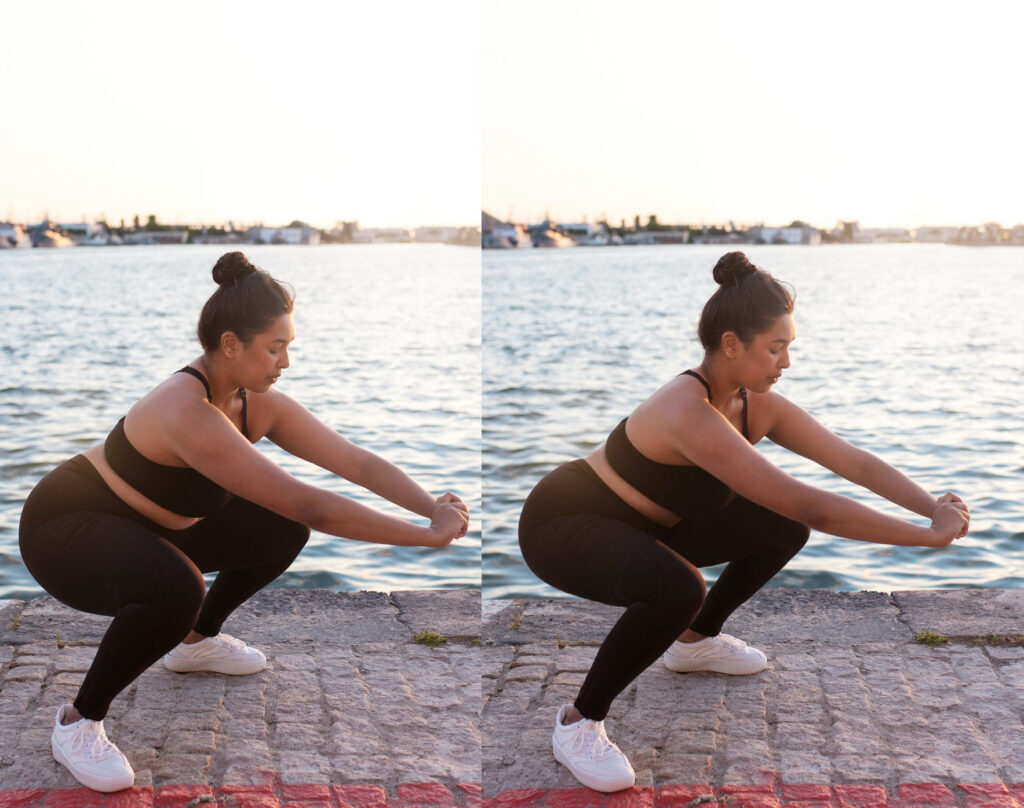
A photo is not just a means of retaining memories; it now carries the identity of personality, professionalism and brand image. This is where “ Photo Body Retouching Services ” plays an important role. Professional retouching is not just the process of making the body slim or perfect, but also an art of making the photo more attractive and eye-catching while maintaining its natural beauty. This service allows you to remove skin blemishes and imperfections, correct body shapes, improve lighting and contrast, and enhance the overall quality of your photos. Sometimes, a small flaw or uneven lighting can ruin the overall impression of your photo, but with proper retouching, those issues can be easily fixed. As a result, your photos will look more professional, attractive, and suitable for social media or business use. Whether it’s fashion and model photography, e-commerce product displays, portfolio shoots, or social media profiles — perfect images capture the viewer’s attention and make you stand out. Using professional body retouching services, you can create not just a photo, but a powerful visual impression. What is photo body retouching and why is it important?  Photo body retouching is a professional image editing process that enhances and perfects the body structure, skin, lighting, color, and other elements of a photo. It not only makes the body look slimmer or more perfect, but also improves the overall quality of the photo, making it more natural, balanced, and eye-catching. There is a story behind every photo, and photo body retouching makes that story more beautiful, confident, and memorable. Sometimes, during a photoshoot, lighting, posing, or camera settings can leave imperfections in the image — such as skin blemishes, unwanted shadows, folds in clothing, or abnormalities in body shape. Professional retouching removes all these imperfections, making the image look perfect and professional. This is important because in today’s digital age, a photo carries not only a memory, but also a powerful message. Whether it’s a social media profile, e-commerce product photo, model portfolio, or brand promotion — a perfect and attractive photo captures the viewer’s attention and builds trust. Properly done photo body retouching not only makes you look better, but also boosts your confidence and strengthens the professional image of your personality or product. So it is now not just an option, but a necessity for a successful online presence. The role of body retouching in modern photography  Photography is not just about clicking the camera; rather, the subsequent editing steps are equally important to create a perfect and professional image. The most effective and popular of these is body retouching, which improves the quality of the image and makes it more appealing to the viewer. In modern photography, body retouching not only enhances beauty, it also makes the image more professional, impactful, and powerful in telling a story. When the lighting, pose, or angle during a photoshoot is not right, body composition often looks unnatural or skin blemishes, shadows, and imperfections appear. Professional body retouching removes these imperfections and makes the image more balanced, natural, and perfect. Adjusting body shapes, smoothing skin, adjusting lighting and contrast, and improving overall composition — all of these things can take a photo from ordinary to extraordinary. In today’s competitive landscape, whether it’s fashion, advertising, e-commerce, or social media, the visual impact of a photo determines success. A perfect photo captures the viewer’s attention and builds trust in a product, person, or brand. That’s why professional photographers have now adopted retouching as an essential step. After all, body retouching not only enhances modern photography in aesthetics, but also transforms each image into a powerful message and visual story. Techniques to maintain natural beauty, not artificial The main purpose of photo retouching is never to make the image artificial or unrealistic, but to present the natural beauty in a brighter and more balanced way. Many people think that body retouching means excessive editing or unrealistic changes, but real professionalism is not there. The real skill is to retouch in such a way that the beauty of the image is enhanced, while still looking at it as if it were real and natural. Successful retouching is not about changing the image, but rather highlighting its natural beauty as if it was always perfect. Maintaining natural beauty requires meticulous and patient work. For example, removing skin blemishes should ensure that the entire texture is intact, changing body shapes should not look unnatural, and adjusting the lighting and color balance should not distort the image. Excessive smoothing, over-sharpening, or unnecessary color changes can make an image lose its natural appeal. Professional photo retouchers therefore always work on the principle of “less is more.” They change details in such a way that the result is noticeable but does not look artificial. Ultimately, the real trick to successful photo retouching is to enhance the natural beauty without distorting it. A photo is truly captivating when it feels real but still looks perfect — and that balance is the secret to professional retouching. The importance of retouched photos in social media and professional portfolios  Social media and professional portfolios are not just a means of displaying images; they are a reflection of our identity, skills, and brand image. In such a situation, a perfect and attractive image can strengthen your presence. Here the role of photo body retouching is essential. Professionally retouched images not only make the eyes attractive, but also hold the attention of the viewer and make the first impression last longer. Every photo on social media and in a portfolio carries a message, and perfectly retouched photos make that message more impactful and memorable. Competition is fierce on social media, where millions of photos are published every day. To stand out in this competition, you need perfect retouching. Skin blemishes, shadows, light-color inconsistencies, or even minor body flaws can distract the viewer. Professional body retouching removes all these flaws and makes the photo balanced, natural, and eye-catching. For a portfolio or social profile, retouched photos convey a professional

Color Change
Blog

The best way to change colors and improve product images

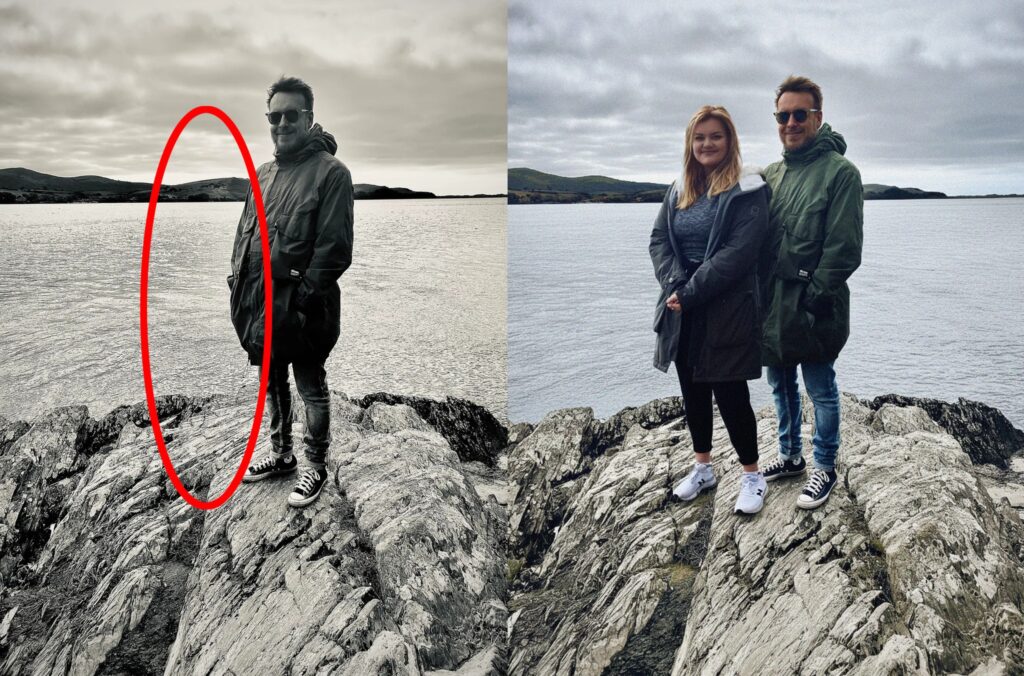
Proper color adjustment not only makes a product photo visually appealing but also attracts customer attention and boosts sales potential. Marketing and e-commerce, the quality of product images is one of the main keys to the success of a business. The first thing that online buyers look at is the product image. Therefore, a perfect, attractive and realistic image can increase the sales potential of your product many times. In this, color change plays an important role, because the use of the right color further enhances the beauty and attractiveness of the product. By changing the color, you can create different color variations of the same product, which creates more options for customers. Also, if the color of the photo becomes pale or unusual due to poor lighting, then by correcting the color, it can be presented more realistically and professionally. Using advanced tools like Photoshop, it is possible to make the product image more attractive by easily changing the color, adjusting the hue and saturation, and adjusting the tone.   A proper color editing technique not only enhances the beauty of the image, but also increases the buyer’s confidence in the brand identity and product quality. Therefore, color change is an essential step to improve product images to ensure business success, which can be easily achieved through professional image editing. The importance of color change: why it is necessary in product images Images are the first impression, and one of the most important elements of that image is color. Color is not just a visual element, it directly affects the buyer’s attitude, perception of product quality, and purchase decision. Therefore, changing the color or using the right color in product images is not only important for aesthetics, but also for business success. The right color not only makes an image attractive, it also highlights the value, quality, and credibility of the product. Firstly, sometimes the actual product color is not accurately reflected in the image due to camera lighting, shooting environment, or color settings. In this case, color correction can solve that problem and clearly present the product’s true appearance and color. Secondly, showing multiple color variations of a product gives buyers more options, which significantly increases the likelihood of sales. In addition, color also plays an important role in psychology. Using the right colors can increase consumer interest in a product and increase brand credibility. For example, bright and vibrant colors increase product appeal, while soft and professional tones create a positive perception of the product’s quality. Therefore, color change is essential not only for making images look good, but also for increasing sales, improving brand image, and influencing buyer decisions. Strategies to increase product attractiveness through proper color selection Color plays a huge role in making a product image attractive. The right color not only makes an image beautiful, but it directly influences the buyer’s emotions, preferences, and purchasing decisions. Therefore, strategic thinking is extremely important when choosing colors for a product image. Using the right color makes the product look more vibrant, eye-catching, and professional, which helps to attract the attention of online shoppers.   Choosing the right color makes even an ordinary product special, attracting the buyer’s attention and increasing interest. The first thing to keep in mind is to choose colors that are consistent with the nature of the product and the brand identity. For example, dark and sophisticated colors are usually used for luxury products, while bright and flashy colors are more effective for children’s products. In addition, it is important to maintain the right contrast between the background and the product color, so that the product is clearly visible. Color psychology also plays an important role here. Red and orange convey energy and excitement, while blue and green create confidence and calm. By using this psychological effect, choosing the color of a product can make a positive impression on the buyer and increase the likelihood of a purchase. After all, the right color selection can make an ordinary image extraordinary. It not only enhances the beauty of the product, but also plays an important role in increasing sales by attracting the attention of the buyer. Increase sales potential by creating multiple changing color variations In the era of e-commerce and online shopping, displaying multiple color variations of a product to the customers is considered a powerful strategy. Every customer has different preferences, so showing different color options of the same product makes the customers interested in buying the product in their favorite color. This not only increases sales, but also increases the customer’s trust and satisfaction with the brand. Multiple color options not only increase buyer choice, it also multiplies sales potential. Using Photoshop or other image editing software, it is easy to create multiple color variations from a single original product image. For example, creating blue, red, green, and pink color variations from a photo of a dress allows shoppers to easily choose their favorite color. This improves the shopping experience and potentially increases sales. When creating multiple color variations, it is important to ensure that each color is a true match to the actual product. Displaying the correct color increases customer satisfaction and trust, which in turn leads to repeat purchases and referral sales. Lastly, displaying multiple color options is a professional image editing technique that can greatly increase the sales potential of online businesses. It shows product diversity, respects buyer choice, and makes a brand’s products more attractive. Common mistakes when color change and how to avoid them Changing the color of a product image is an important step, but many people make some common mistakes in the process that can reduce the quality and impact of the image. If the color is not changed correctly, the product may not look realistic, which can affect the trust and interest of the buyer. Therefore, it is very important to identify common mistakes when changing the color and know the techniques to avoid them. First, excessive or inconsistent color changes are

Remove Hand From Face
Blog

The impact of Photoshop editing on modern photography

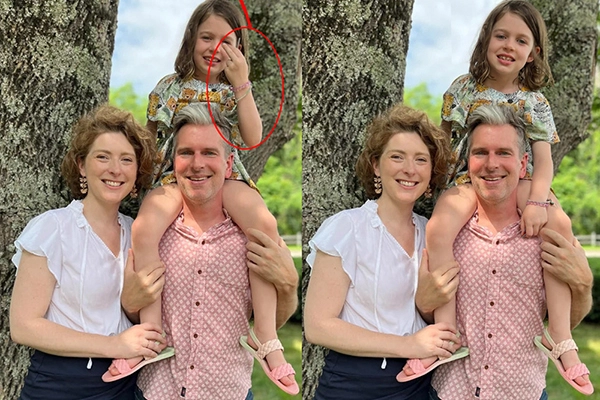
  Photoshop editing is not just a software, but a creative force that can transform even ordinary photos into captivating visual stories. From professional photographers to e-commerce entrepreneurs, designers and even ordinary hobbyist photographers, Photoshop has unrivaled capabilities to enhance images. It not only helps in color correction, lighting adjustment, portrait retouching, but also in creating creative compositions, which gives a whole new dimension to the possibilities of photography. Over the past few decades, photography has evolved from traditional darkroom techniques to advanced digital workflows, with Photoshop playing a central role. It not only enhances the beauty of images, but also changes the visual impact of images in magazines, social media, advertising, and online stores. For professional photographers, Photoshop allows them to express their vision clearly. E-commerce merchants use Photoshop to make product images more attractive, such as clear backgrounds and color corrections , which attract buyers. Designers use Photoshop to create visual content, and ordinary users also use editing to share innovative content on social media.   However, the widespread use of Photoshop raises questions about the distinction between real and digital images. It empowers creativity, but at the same time affects the perception of reality. Understanding the role of Photoshop editing in modern photography is important, as it has had a lasting impact on art, business, and culture. The Evolution of Photoshop Editing in Modern Photography  Photoshop editing  has emerged as a revolutionary change in the history of the photography industry  . Initially, developing and editing images was limited to the darkroom—where color, light, and shadow were controlled through photographic chemical processes. At that time, images were created entirely in camera, and the scope for editing was very limited. Photography is not just about capturing moments; Photoshop editing is the tool to transform those moments into art.  With the advent of the digital age, the process of photography has also changed drastically. Since the introduction of Photoshop software in the 1990s, photo editing techniques have taken on a whole new dimension. Now, it is possible to control every pixel of an image, giving photographers the ability to modify images according to their creativity and needs. Photo editing, Color correction , lighting adjustment , skin and portrait retouching , background changes —all are possible with Photoshop.   Photoshop’s impact on photography is not just strategic, but has also redefined the industry standard. Professional photographers are no longer limited to just framing a photo; they can transform a photo into a work of art. Photoshop is also widely used in e-commerce and design, where product images can be made more attractive and commercially impactful. The evolution of Photoshop editing proves that modern photography is not just dependent on the skills of the camera, but also on the power of digital editing. It has broadened and deepened the impact of photography on both art and business.  The role of Photoshop in the creativity of photography Photoshop editing is an essential skill for professional photographers . Just taking a photo is not enough; Photoshop has immense power to make a photo more professional and eye-catching. In portrait photography, retouching skin and face , enhancing eye and hair brightness , and correcting excess shadows bring the photo to life. In addition, Photoshop is very effective in balancing light, color, and contrast in landscape and street photography. A photo can be captured with a camera, but Photoshop editing brings that photo to life.  Photographers can use Photoshop’s layers, masks, brushes, and filter tools to enhance their images in a more professional way. HDR editing, color grading , and color correction not only make images look better to the eye, but also enhance the viewer’s experience. Professional photographers can thus give their artwork a unique style and identity. Photoshop editing is even more important in e-commerce and commercial photography. Presenting product images in an attractive and realistic way is helpful in determining the success of a brand. Photoshop is also essential in improving the quality of images on social media, preparing images for magazines and advertisements. The power of Photoshop gives professional photographers the creativity, expertise, and competitive edge they need to transform their images into works of art, not just visuals. The debate between originality and perfection The debate over authenticity versus perfection has often been raised over the widespread use of Photoshop editing in photography . How much an image can be altered, and when it crosses the line of authenticity, has given rise to differing opinions among artists, viewers, and critics. Professional photographers correct color, light, shadow, and unwanted objects to perfect an image. This enhances the impact of the image and the quality of the artwork. However, excessive editing can sometimes diminish the realism of the image. Photoshop can make photos look beautiful, but excessive editing can sometimes erase the touch of reality. The extensive editing of photos on social media often creates a false impression among viewers. People often see every portrait or product photo as perfect and realistic, which does not match real life. For this reason, according to some photographers and critics, excessive retouching and digital changes to photos undermine the stream of authenticity . On the other hand, Photoshop’s capabilities are essential for industrial and commercial use. It is necessary to create perfect and attractive images in the field of product photography, magazine covers, advertisements and social media content. The main purpose of editing is to maximize creativity and attract the attention of the audience. As a result, there will always be a debate between authenticity and perfection in photography. However, when used with the right balance, Photoshop can create a beautiful balance between reality and creativity . Photoshop and business impact Photoshop editing is not limited to industrial and personal photography; it has a significant impact on the modern business world. Especially in the field of e-commerce and branding, Photoshop can make product images look more attractive and professional, which helps to attract buyers’ attention and increase sales. Perfect combination of color, lighting, background and shadow of product images is possible with Photoshop, which is essential for business success. A perfectly edited photo is not just art, it is a powerful tool for business success. The use of Photoshop

photo-editing
Blog

History of photo editing

The history of photo editing is as old and fascinating as the history of photography itself. Ever since the first photographs were taken in the 19th century, people have been looking for ways to make their images more beautiful, more accurate, and more interesting. At that time, photographers would experiment with negatives in the darkroom—adjusting light and dark, removing blemishes, or adding special effects to enhance images. These early processes formed the basis of modern photo editing. Portrait retouching became popular in the late 19th century . Artists would paint directly on photos, covering up blemishes or altering facial features. In the 20th century, airbrushing and composite printing became widely used in advertising and the fashion industry. This made the photos more precise, brighter and more spectacular. The digital revolution of the 1980s took photo editing to a new level. With the advent of software like Adobe Photoshop, photo editing became faster, more accurate, and more accessible. Now, not only professionals, but also ordinary people can use computers or smartphones to crop, change colors, and make various creative changes to photos. Today, photo editing is not just a professional skill, but has become a part of people’s daily lives. Almost everyone edits their photos before sharing them on social media. From the darkroom to digital filters, this long journey of photo editing proves how technology and creativity together have changed the way we tell visual stories. Darkroom era photo editing (19th century) The history of photo editing began in the darkroom era, when photography was entirely dependent on chemicals and manual processes. Taking photos in the 19th century meant long exposures, using glass plates or negatives, and then working for hours in the darkroom. Photographers of that time were not limited to just taking photos, but also used various techniques to enhance their images in the darkroom. In the darkroom, every brush stroke and chemical adjustment was a conversation between the photographer and reality, shaping images before they ever saw the light of day. The most common work in the darkroom was negative retouching, where photographers used special inks or fine brushes to remove minor imperfections in the image. Sometimes, work was done directly on the image to correct facial blemishes, unwanted background prints, or uneven lighting. In addition, the work of brightening or darkening the image by controlling the exposure was also done in the darkroom. Composite photography also became popular during this era. Multiple negatives could be combined to create a new image. This allowed photographers to create visual effects that were not possible in real life. For example, some famous historical photographs were actually composites of multiple negatives. Although darkroom editing was a time-consuming and laborious process, it gave photography a new dimension. The creative efforts of this time proved that photo editing was not just a means of beautifying images, but also a powerful tool for creating art. Negative retouching and portrait editing In the early days of photography, when technology was not as advanced as it is today, photographers used negative retouching to make their images look perfect. This process was especially popular with portraits. Negative film was used to remove blemishes, wrinkles, or imperfections on the face using fine scratches, brush strokes, or special chemicals. This made the subject of the image more interesting and complete. Negative retouching was not just a technique for enhancing beauty, but an art of bringing out the hidden personality and dignity in each portrait. It was not just a technical task; it was an art of shaping the self-portrait of a person. For many, it was also a means of boosting self-confidence. As one critic put it—“Portrait retouching was less about altering the truth and more about preserving the dignity of the subject.” This quote proves that portrait editing was important not only for beauty, but also to highlight personality and dignity. Today, in the digital age, we can easily edit portraits using Photoshop or Lightroom, but back then, negative retouching was a labor of patience and craftsmanship. It can be said that the roots of modern photo editing lie in this ancient technique. The rise of airbrushing and composite printing (20th century) At the beginning of the 20th century, photography began to take on a new form. During this time, airbrushing and composite printing technologies took images beyond the realm of reality. Airbrushing made it possible to remove imperfections, smooth and perfect skin, and present images as works of art. On the other hand, composite printing was used to create new images by combining multiple negatives, which often depicted a completely imaginary world. Airbrushing and composite printing were not just techniques; they were tools that reshaped the cultural perception of beauty and truth in the 20th century. These techniques revolutionized the fashion industry, advertising, and cinema. Airbrushing became especially popular for creating perfect images of celebrities. During this time, new standards of beauty were created, which influenced the expectations of the general public. At the same time, composite printing was also used for political and social propaganda, where reality was mixed with fantasy. This quote proves that airbrushing and composite printing were not just processes for editing images; they were also a means of shaping society’s thinking and visual culture. The journey of today’s digital photo editing actually began with these technologies. The digital revolution and the emergence of Photoshop (1980s–1990s) The 1980s–1990s were a digital revolution in the history of photography and image editing . Before that, image editing was a laborious, time-consuming, and largely manual process. But the development of computer technology broke those limitations. During this time, Adobe Photoshop was born, which is not just a software, but a revolutionary tool that changed the course of visual culture. Photoshop was not just a software; it was the beginning of a new visual era where reality could be altered with a click. Photoshop makes it easy to reimagine images, change colors, remove unwanted parts, or combine multiple images into a completely different shape. Photoshop quickly gained popularity in fashion, advertising, media, and even among

Photo Editing Service
Blog

Why Photoshop Is The Best For Photo Editing

Since the beginning of the digital age, Photoshop has been and still is one of the best software for photo editing. Over time, this software has improved itself and added new features. Whether it is cropping images, adjusting colors, changing backgrounds, or professional-quality retouching—Photoshop is unique in everything. Not only professional photographers or designers, but also ordinary users can use Photoshop to make their photos more attractive. Photoshop’s greatest strength is its versatility. From print media to digital marketing, website design to advertising—Photoshop has become indispensable in almost every field. In line with modern technology, it has now added more smart tools and artificial intelligence (AI)-based features, which help you get the job done quickly and accurately. Even today, Photoshop remains at the forefront of the photo editing world and its popularity will remain unwavering in the future. Photo Editing In Photoshop’s long history and credibility When you hear the name Photoshop, the first thing that comes to mind is the best image editing software. It first came to the market in 1988, when Thomas Knoll and John Knoll created its original version together. Since then, Photoshop has gradually improved and today it has become one of the most popular and trusted photo editing software. Initially, Photoshop only provided some basic editing tools, but over time, sophisticated technology has been added to it. Adjusting colors, changing backgrounds, adding filters, or redesigning images—everything can now be done easily in Photoshop. Its biggest strength is that it has always updated itself according to the needs of users. As a result, it still holds the top position in the photo editing world. Photoshop is also unmatched in terms of reliability. Professional photographers, designers, advertising creators, and even web developers around the world choose Photoshop for their work. With its stable performance, advanced tools, and continuous innovation, users can be sure that they will get the best quality results. In addition, the use of Photoshop is not limited to professionals; ordinary users can also use it to decorate or beautify images. Due to its long-standing success and user trust, Photoshop has become a global brand today. All in all, Photoshop’s long history is not just a story of software advancement, but also a symbol of reliability, quality, and user trust. Professional Quality Photo Editing Tools One of the main reasons for Photoshop’s popularity is its professional-quality editing tools. Not only does it make image editing or design easy, but it also delivers a flawless quality output that meets the expectations of professional designers and photographers. Photoshop has the ability to use layers and masks , which allow you to break up complex images and work on them in separate parts. This allows the user to make changes to specific parts of the image, or work on the entire image if they want. In addition, using the Smart Object feature, the user can make multiple changes to the image while maintaining the original quality, which is very important for professional work. Color correction and tone control are another powerful toolset in Photoshop. Using correction layers, hue/saturation, color balance, or levels, you can precisely control the color and light balance of an image. This allows you to present the image in a more natural or creative way. Photoshop has advanced retouching tools like Healing Brush, Clone Stamp, Spot Removal, etc., which remove image defects and fix them perfectly. In addition, content-aware fill or AI-based features automatically remove unwanted parts of the image and create amazingly beautiful results. Most importantly, Photoshop’s tools work in harmony with each other, which opens up endless possibilities for the user. Whether it’s professional-level banners, logos, ad designs, or high-quality photo retouching—Photoshop’s tools are reliable and superior in all areas. Advanced color correction features One of the strengths of Photoshop is its advanced color correction facilities. The beauty of a photo largely depends on the correct color, contrast, and tone. But sometimes when taking a photo, the color gets distorted due to lighting, camera settings, or environmental factors. Photoshop solves that problem very efficiently. Photoshop has a variety of tools and options, such as Hue/Saturation, Color Balance, Levels, Curves, and Selective Color Adjustment , that can be used to change the color of an image realistically or creatively. These tools can be used to control the balance of light, fade or brighten colors, and even highlight a specific color. The most notable feature is the clarification layer . Through it, the user can change the color in a non-destructive manner. That is, the color can be changed without damaging the original part of the image, which can be fixed or corrected at any time later. Photoshop’s smart color grading feature helps create cinematic looks or professional tones. AI-based auto color correction makes images more natural-looking in seconds, making it easy for even novice users to make their photos stand out. Color correction not only enhances beauty, but also helps convey a certain mood or emotion through images. That’s why professional photographers, graphic designers, and advertising creators have been using Photoshop’s advanced color correction features as an integral part of their work. Overall, Photoshop’s color correction tools have the incredible power to transform an ordinary image into professional, artistic content. Excellence in background removal and replacement One of the most popular features of Photoshop is background removal and replacement. This feature is very important in the modern design and photo editing world, because the quality of an image depends largely on the background. Professional Photoshop users know that changing the background correctly can make even ordinary images look perfect. Photoshop has a variety of advanced tools, such as the Magic Wand, Quick Selection Tool, Pen Tool, and Select and Mask options . These can be used to quickly and accurately isolate the content of an image. Photoshop’s tools are especially great for complex backgrounds, such as tufts of hair, fur, or transparent objects. Additionally, Photoshop’s AI-based “Remove Background” feature automatically isolates the main content of an image, allowing users to remove backgrounds in seconds, which was previously time-consuming. Photoshop gives users unlimited freedom when it comes to changing backgrounds. Users can use a

Adobe Photoshop
Blog

Why Photoshop software is important for editing your photos

Amidst the rapid advancements of modern technology, a photo is not just a snapshot of a moment—it is an expression of personality, professionalism, and creativity. Whether it’s social media, e-commerce, portfolio, or personal branding—a perfect, eye-catching photo can instantly capture the attention of the viewer. However, not all photos come out of the camera exactly the way we want them to. That’s where Photoshop photo editing plays a vital role. This powerful technique allows users to enhance, retouch, and transform images to match their vision and purpose. To solve the common issues found in raw images—such as lighting imbalances, background distractions, or skin imperfections—professionals and creatives around the world rely on one of the most effective and popular software tools available today: Adobe Photoshop. Photoshop is a tool that makes photo editing professional and perfect. If you want to present an ordinary photo in an extraordinary way, then there is no alternative to Photoshop. Through it, you can easily control the light, shadow, contrast, color, etc. of the photo. Even changing the background of the photo, removing unwanted parts, smoothing the skin, photo retouching and much more are possible very easily. Photoshop is an essential software, especially for photographers, graphic designers, digital marketers, and e-commerce businesses. Because good photos mean good impressions, and good impressions mean customer trust and confidence.   So, Photoshop is not just a photo editing software—it is a powerful tool to improve the quality of your photos. If you want your photos to be more attractive, professional, and captivating, then using Photoshop will be your best decision. How Photoshop makes an ordinary photo extraordinary   A picture can express more than a thousand words. But not all pictures come out of the camera lens as perfectly as we want. Sometimes the light in the picture is low, the background is messy, spots on the face or unnecessary objects are visible. At this stage, a powerful and efficient photo editing tool is needed, which is called Adobe Photoshop . Photoshop is a software that can transform even a simple, ordinary quality photo into a professional, attractive and artistic photograph. Using its various tools and features, every subtle aspect of the photo, including color, contrast, brightness, saturation, can be perfectly adjusted. This brings the photo back to life. Photoshop can be used to enhance your beauty by removing acne, blemishes, or wrinkles. It is possible to change the background, remove unwanted objects, adjust light and shadow, and even add completely new objects to the image. All of these can transform an ordinary photo into a completely new look—attractive, professional, and eye-catching. From personal photos to business product photography, from social media content to digital marketing—Photoshop is incredibly important in every field. Because a beautiful photo means more attention, more focus, and therefore more opportunities. In other words, Photoshop is not just an editing software, it is a powerful tool for creativity and perfect presentation, which makes an ordinary photo extraordinary. Using Photoshop to remove or change the background   In an increasingly technology-driven world, the beauty and professionalism of a photo largely depends on its background. Just as a perfect background can make a photo more attractive, a messy or unnecessary background can ruin the beauty of the entire photo. It is at this point that Adobe Photoshop gives us a wonderful solution—the ability to remove or change the background. With the help of Photoshop, you can easily remove the background of a photo while retaining the main subject or add a new background as desired. This brings innovation, professionalism, and visual appeal to the presentation of the photo. Changing the background is an important step, especially in creating e-commerce, fashion photography, product catalogs, portfolios, or social media posts. Background cutting or changing can be done accurately using various tools in Photoshop such as Pen Tool, Quick Selection Tool, Remove Background Option, Layer Mask , etc. If you want, you can add a natural background, a monochrome background, or a fully designed graphic background to the back of the image. These actions not only make the image visually appealing, but they also increase the viewer’s interest and trust in your brand, presentation, or product. So, it can be said that Photoshop’s background removal or modification feature makes an ordinary photo look extraordinary and professional. This feature can take your photo to a new level. Photoshop to improve the quality of e-commerce product photos   Nowadays, e-commerce business is growing at a huge rate. The first thing a customer sees while shopping online is the product image . A clear, professional and attractive image plays a huge role in increasing the sales of a product. But most of the time, raw images are not directly usable. This is where Adobe Photoshop becomes an indispensable tool. Photoshop can be used to edit e-commerce product photos to make them look professional, bright, and believable. You can remove the background and use a solid or transparent background, which increases the focus of the product. You can add shadows to give the product a more realistic and premium look. In addition, color correction, exposure adjustment, scratch or dust removal, and adjusting the angle or composition of the photo are also easily possible with Photoshop. Especially on e-commerce platforms like Amazon, eBay, Daraz, or Shopify that have specific image guidelines, the use of Photoshop becomes essential to comply with them. Because good quality images not only increase sales, but also demonstrate the buyer’s trust and professionalism in the brand. A properly edited product photo encourages buyers to buy with confidence, while a bad photo can discourage them from buying. Therefore, it goes without saying how profound the importance of Photoshop in improving the quality of product photos is for the success of e-commerce businesses. Perfect photoshop photo editing for social media posts   In the age of social media, an attractive image or visual content can be the biggest identity of your personality, brand or product. Whether it’s Facebook, Instagram, TikTok, Pinterest or LinkedIn—the visual quality of an image or post is

Scroll to Top